Keyboard shortcuts
The default key map. Every binding here is remappable in Settings - Shortcuts.
Every default binding below is registered in src/modules/shortcuts/shortcuts.ts and remappable from Settings -> Shortcuts.
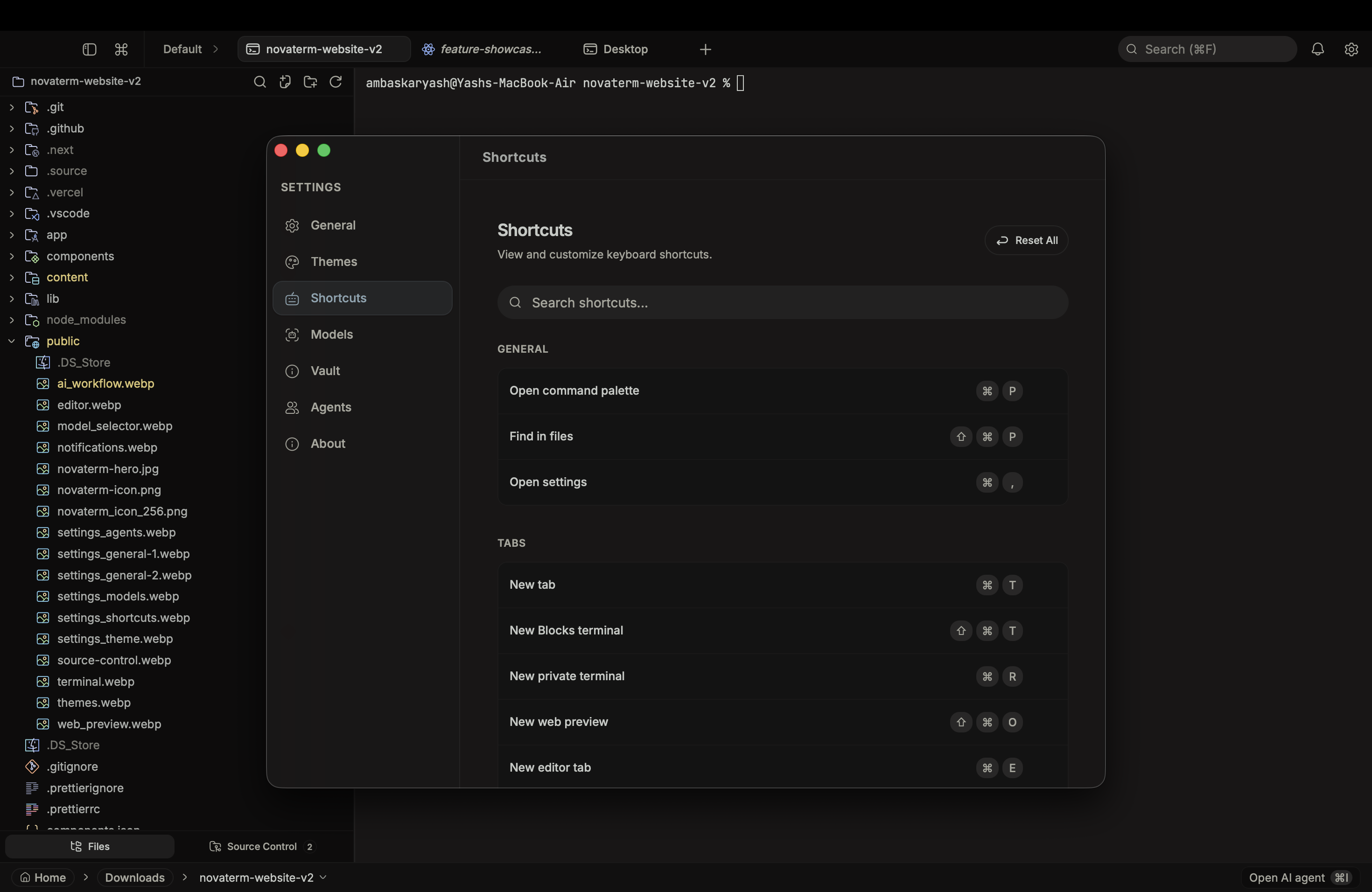
Mod is Cmd on macOS, Ctrl on Linux and Windows. Ctrl+Tab and Ctrl+Shift+Tab use Ctrl on every platform.
| Action | Default |
|---|
| Open command palette | Mod+P |
| Find in files | Mod+Shift+P |
| Open settings | Mod+, |
| Action | Default |
|---|
| New tab | Mod+T |
| New Blocks terminal | Mod+Shift+T |
| New private terminal | Mod+R |
| New web preview | Mod+Shift+O |
| New editor tab | Mod+E |
| Close tab or pane | Mod+W |
| Next tab | Ctrl+Tab |
| Previous tab | Ctrl+Shift+Tab |
| Jump to tab 1 - 9 | Mod+1 ... Mod+9 |
| Action | Default |
|---|
| Split pane right | Mod+D |
| Split pane down | Mod+Shift+D |
| Focus next pane | Mod+] |
| Focus previous pane | Mod+[ |
| Toggle source panel | Mod+G |
| Action | Default |
|---|
| Toggle file explorer | Mod+B |
| Toggle file explorer focus | Mod+Shift+E |
| Zoom in | Mod+= / Mod+Shift++ |
| Zoom out | Mod+- / Mod+Shift+_ |
| Reset zoom | Mod+0 |
| Toggle zen mode | Mod+Shift+Z |
| Action | Default |
|---|
| Open spaces | Mod+Shift+S |
| Next space | Mod+Shift+] |
| Previous space | Mod+Shift+[ |
| Action | Default |
|---|
| Find in terminal | Mod+F |
| Search files | Mod+Shift+F |
| Action | Default |
|---|
| Clear terminal | Cmd+K (macOS only) |
| Toggle Shell / AI input | Mod+U |
| Previous command block | Mod+ArrowUp |
| Next command block | Mod+ArrowDown |
| Action | Default |
|---|
| Tutor Mode: Explain Command | Mod+Shift+L |
| Toggle AI agent | Mod+I |
| Ask AI about selection | Mod+J |
| Jump to agent needing attention | Mod+Shift+A |
These are display-only entries. CodeMirror's historyKeymap owns them natively - NovaTerm registers them in the shortcuts dialog for discoverability but does not intercept at the app level.
| Action | Default |
|---|
| Undo | Mod+Z |
| Redo | Mod+Y |
